


In this article, we’ll see, how to get into Reveal BI with a free account.
If you want to know more about Reveal BI, read my last blog or check the Reveal BI Official Documents:
Reveal BI Account creation or log in with the existing account
Step 1: Open https://revealbi.io
Step 2: You can log in with your existing account of Infragistics or office 365 account.
If you don’t have Reveal BI access, you can also use the free trial.

Once you log in successfully to the reveal for the first time, you’ll see an empty and private portal for you.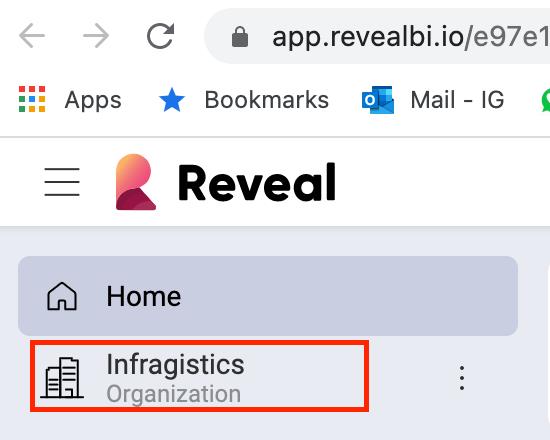
Team Collaboration in Reveal BI
Reveal provide a very easy way to manage your Teams under your org with respect to the people's roles and accessibility.
Let’s see how to create teams in the Reveal portal.
Click on my stuff and find the option to create a new team or join an existing public team in your organization, as shown in the below image.
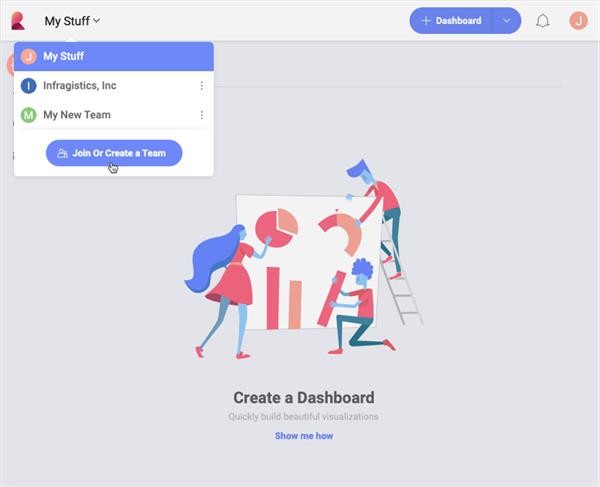
Or you can find the same option in the left side menu.
Step 3: here in this option you can give a name to your new team and also can set a color for identifying this team very easily. You can also set its Accessibility public or private.
A public team can be searched inside an organization to join without any invitation however a private team could join just only by invitation internally.
Once you are done with all the settings just click on the created pattern for the next step.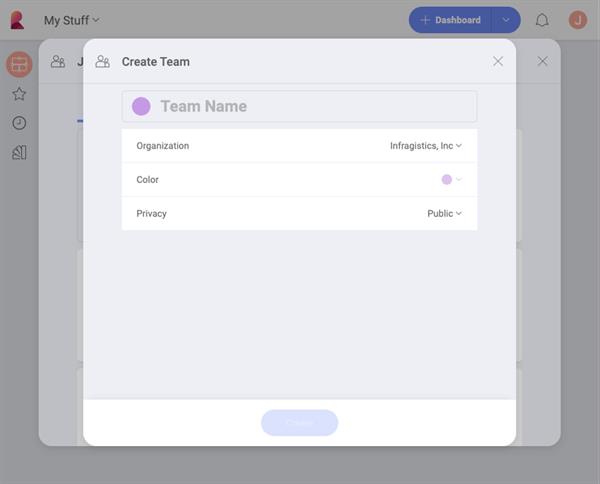
Step 4: you can add the member with a roll like an owner member or just a viewer. The owner of a team can add more members further but a member or a viewer could not do the same thing.
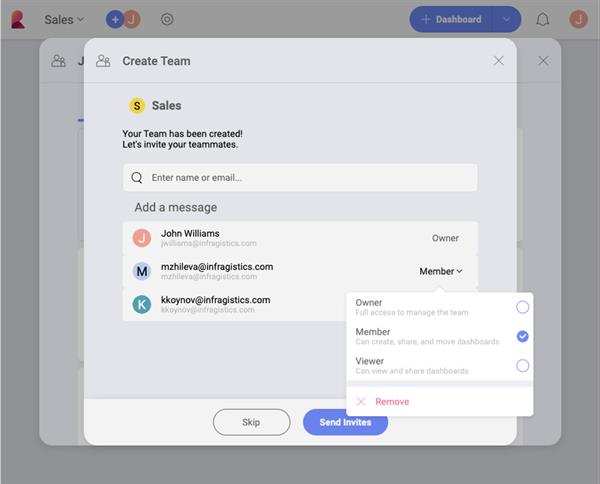
Step 5: now you can see or find this newly created team into your existing team's list.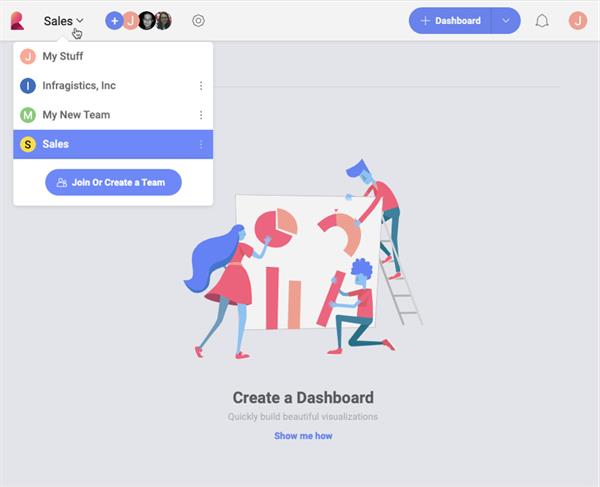
We are good to go now.
in the next article, we'll see how we can create our dashboards and also how we can share those dashboards with the team members.